Monday, July 16, 2018
Amplify
Blogging in the classroom provides a wonderful opportunity to promote creativity and amplify student voice. Students can write for themselves and for a larger audience than just the teacher, which in my opinion, makes them feel like their writing matters. I think the key to blogging is to let students take full ownership and to not set too many expectations - just let them relax and write. At times, I do think the teacher needs to provide some prompt ideas, but overall, once students get the feel for blogging and realize it is not meant to be hard but to promote their voice, they will take advantage of the opportunity and use it for a good purpose. In my current classroom, I would love for my students to blog 2-3 times per unit. They would use it for reflections, connections, synthesis, and anything else that catches their interest. I also think it would be a great place to encourage them to be a voice for change. What are they passionate about? What do they think needs to be changed in our class? School? Community? Society? This is step one in showing them that their voice matters...give them a platform to use it. By just writing a blog, students are putting their writing out there for others to see. Similar to mystery Skypes or Hangouts with other classrooms, students could share their blogs with other students around the world and provide a glimpse of their lives. In addition, the power of social media will increase global connections as students can use their social media accounts to share their blog posts with others. The more they share, the more likely their thoughts will be reshared with others. And hopefully...others will be inspired to respond, take action, or whatever else our powerful students can do once their voices are heard.

Wednesday, February 8, 2017
Holding Down the Fort
As our school shifts to 1:1 next year, I find myself continuing to question how to support our teachers and students effectively and to my best ability. As an instructional technology coordinator, I have the privilege of planning and implementing professional development for staff in my building. My position is unique that I am .4 instructional technology coordinator and .6 English teacher. With this, I get the best of both worlds: working with students and working with staff. The biggest obstacle with this position is finding the time to do both well.
With 1:1 on the horizon, we are trying to figure out our best approach for supporting staff and creating resources that are effective and relevant. For my grad school class, we were asked to create a blog and pose a question to our assigned group. I am taking advantage of the fact that many of my colleagues are in my class, so my question for you is this:
In your opinion, what is the best way to help staff learn how to utilize devices in their classrooms in order to enhance and transform learning? What works for you as a learner? Guided digital PD? Videos? Direct instruction? Workshop style instruction? What do teachers need in order to feel confident and move from their starting point, A, to the next point, B?
Friday, September 30, 2016
Instructional Balancing Act
October is upon us, and as my students finish their first unit, I am super excited about the progress made over the past month and a half. My 1:1 journey has just started, but I must admit that my classroom has completely transformed from previous years, and I have learned so much about engagement, collaboration, and instruction.
 In the past, my students have followed my lesson by viewing my Google Slides presentation and taking notes/completing activities in their notebooks. Now that we have Chromebooks, I have been sharing my class lessons and presentations with the students in Google Classroom, and it is really transforming my lessons to make them more student centered and engaging. After finishing my lesson, I add it to Google Classroom (I added a "topic" called Classroom Lessons and Resources) and I make a copy for each student. From there, as we complete the lesson, they can take notes in their slides, complete activities that I put in the presentation, and then work with others around them as I direct them to do so in class. I can also add links to external sites, other lessons, and various activities within the presentation, making it a pretty powerful HyperDoc.
 Example - The Catcher in the Rye Chapter 1-4 Overview
This example includes my class lesson with embedded Google Forms and a final collaborative activity in Padlet. The class period flew by, and the students were engaged and learning - per their work in Padlet and the exit slip.

I have found it is extremely important to work collaborative time into these lessons. In addition, I must have students lower their screens at times to just listen or direct their attention to the front of the room. Shifts in classroom management have helped with this process. The students seem to take more notes and add their own thoughts throughout the lesson to their slides - more so than they used to do in their notebooks. They tell me it is easier to listen, focus, and talk with their classmates with the information right in front of them.
 My classroom balancing act continues each day, but this small instructional change provides significant improvements to my classroom environment. In just 47 short minutes, I am able to provide direct instruction as needed, but it is student centered and offers opportunities for critical thinking, curiosity, and collaboration.
One of the biggest obstacles has been figuring out how to balance my classroom lessons in order to meet all of my students needs AND make sure I cover the skills I must teach and assess per our curriculum. Direct instruction and student centered learning must both be utilized in the classroom, and it has become essential for me to really dig into my learning targets and decide how I want to devote my precious class time. In addition, with my goal to not assign any homework besides reading, I need all 47 minutes for instruction, student work, and formative assessment.
One small change to my classroom instruction has helped me bridge the gap between direct instruction and student centered learning in order to make both of them work in my classroom at the same time.
 In the past, my students have followed my lesson by viewing my Google Slides presentation and taking notes/completing activities in their notebooks. Now that we have Chromebooks, I have been sharing my class lessons and presentations with the students in Google Classroom, and it is really transforming my lessons to make them more student centered and engaging. After finishing my lesson, I add it to Google Classroom (I added a "topic" called Classroom Lessons and Resources) and I make a copy for each student. From there, as we complete the lesson, they can take notes in their slides, complete activities that I put in the presentation, and then work with others around them as I direct them to do so in class. I can also add links to external sites, other lessons, and various activities within the presentation, making it a pretty powerful HyperDoc.
 Example - The Catcher in the Rye Chapter 1-4 Overview
This example includes my class lesson with embedded Google Forms and a final collaborative activity in Padlet. The class period flew by, and the students were engaged and learning - per their work in Padlet and the exit slip.

I have found it is extremely important to work collaborative time into these lessons. In addition, I must have students lower their screens at times to just listen or direct their attention to the front of the room. Shifts in classroom management have helped with this process. The students seem to take more notes and add their own thoughts throughout the lesson to their slides - more so than they used to do in their notebooks. They tell me it is easier to listen, focus, and talk with their classmates with the information right in front of them.
 My classroom balancing act continues each day, but this small instructional change provides significant improvements to my classroom environment. In just 47 short minutes, I am able to provide direct instruction as needed, but it is student centered and offers opportunities for critical thinking, curiosity, and collaboration.
#whatsup
Friday, September 9, 2016
Figuring Out the Hype with Hyperdocs
Hello world. It has been a while, but we are back in action in the classroom, and I am excited to share our journey this school year. I am currently piloting 1:1 in my classroom, and it has been an interesting start to the year as I navigate through this new classroom environment.
Last year, I made it a priority to create a more learner centered environment in my classroom. Students were asked to take ownership of their own learning as I started to incorporate more choice, project based learning, and future ready tasks. I am a big believer in the 4C's - Collaboration, Creativity, Critical Thinking, and Communication - and with the addition of Curiosity, I challenged my students to take risks and choose their own paths when it came to some of the lessons, writing assignments, and projects we completed. By the end of the year, I was thrilled with what my students accomplished and the enthusiasm they displayed during class.
This year, with students each equipped with a Chromebook, I craved an even more student centered environment, and my first goal was to start incorporating more HyperDocs in the classroom. A HyperDoc is a document created, using GAFE, that includes tasks and links to external resources in order to foster learning in the classroom. I read a fantastic book this summer that helped guide me in the process of planning and creating my first few HyperDocs: The HyperDoc Handbook. After creating and utilizing two HyperDocs in my English II classroom, I am amazed at how much I have learned about what needs to change in order to continue towards my goal of a student centered classroom that highlights the 4C's.
HyperDoc...Round 1
We always start the year with our sophomore students writing a narrative essay. I decided to revamp the assignment and created my first HyperDoc in order to provide students choice and ownership right away.
My first HyperDoc: Your Snapchat Story Narrative Assignment
After creating and using this first HyperDoc assignment, I figured out a few things that I didn't like and wanted to improve. With the Narrative HyperDoc lesson, I found the classroom environment quite boring because the students were just working silently, on their own. With this, I wanted to add a collaborative element to get the students up, moving, and talking with their classmates. I improvised in class and asked them to get up and talk to their peers periodically through the period. This was an effective quick fix, but again, I realized very quickly that I would have to add in some active collaborative activities into the HyperDoc if I wanted to liven up the classroom.
 HyperDoc...Round 2
We are starting The Catcher in the Rye next week, and in order to get them interested in the book and the controversy around it, I created a HyperDoc and Collaborative Web quest for them to complete. One of my colleagues has a web quest she created that I used as a starting point, and then I added some extra elements to incorporate research, critical thinking, communication, and collaboration. I hoped it would help foster an engaging learning environment where students can take ownership of their learning. After day 1, I realized that although collaborative elements are incorporated, I still need to encourage them to actually engage in this part of the process. In addition, various students are rushing through the HyperDoc and not actually reading/viewing the resources provided. The process is better....but still needs work.
My second HyperDoc: Intro to Catcher - Exploration
What's next, you ask?
After reflecting and collaborating with my #BFF and coworker, Steve Wick, I plan to incorporate some formative assessments into the next HyperDoc or student centered lesson I create. I hope to try Recap to get verbal feedback from my students and/or some competitive digital formative assessment tools during the process or at the end of the lesson.
I love that I am learning so much as I go through this process, and I look forward to future successes and challenges as I work towards my goal of a student centered and engaging classroom environment!
#whatsup
Last year, I made it a priority to create a more learner centered environment in my classroom. Students were asked to take ownership of their own learning as I started to incorporate more choice, project based learning, and future ready tasks. I am a big believer in the 4C's - Collaboration, Creativity, Critical Thinking, and Communication - and with the addition of Curiosity, I challenged my students to take risks and choose their own paths when it came to some of the lessons, writing assignments, and projects we completed. By the end of the year, I was thrilled with what my students accomplished and the enthusiasm they displayed during class.
This year, with students each equipped with a Chromebook, I craved an even more student centered environment, and my first goal was to start incorporating more HyperDocs in the classroom. A HyperDoc is a document created, using GAFE, that includes tasks and links to external resources in order to foster learning in the classroom. I read a fantastic book this summer that helped guide me in the process of planning and creating my first few HyperDocs: The HyperDoc Handbook. After creating and utilizing two HyperDocs in my English II classroom, I am amazed at how much I have learned about what needs to change in order to continue towards my goal of a student centered classroom that highlights the 4C's.
HyperDoc...Round 1
We always start the year with our sophomore students writing a narrative essay. I decided to revamp the assignment and created my first HyperDoc in order to provide students choice and ownership right away.
My first HyperDoc: Your Snapchat Story Narrative Assignment
After creating and using this first HyperDoc assignment, I figured out a few things that I didn't like and wanted to improve. With the Narrative HyperDoc lesson, I found the classroom environment quite boring because the students were just working silently, on their own. With this, I wanted to add a collaborative element to get the students up, moving, and talking with their classmates. I improvised in class and asked them to get up and talk to their peers periodically through the period. This was an effective quick fix, but again, I realized very quickly that I would have to add in some active collaborative activities into the HyperDoc if I wanted to liven up the classroom.
 HyperDoc...Round 2
We are starting The Catcher in the Rye next week, and in order to get them interested in the book and the controversy around it, I created a HyperDoc and Collaborative Web quest for them to complete. One of my colleagues has a web quest she created that I used as a starting point, and then I added some extra elements to incorporate research, critical thinking, communication, and collaboration. I hoped it would help foster an engaging learning environment where students can take ownership of their learning. After day 1, I realized that although collaborative elements are incorporated, I still need to encourage them to actually engage in this part of the process. In addition, various students are rushing through the HyperDoc and not actually reading/viewing the resources provided. The process is better....but still needs work.
My second HyperDoc: Intro to Catcher - Exploration
What's next, you ask?
After reflecting and collaborating with my #BFF and coworker, Steve Wick, I plan to incorporate some formative assessments into the next HyperDoc or student centered lesson I create. I hope to try Recap to get verbal feedback from my students and/or some competitive digital formative assessment tools during the process or at the end of the lesson.
I love that I am learning so much as I go through this process, and I look forward to future successes and challenges as I work towards my goal of a student centered and engaging classroom environment!
#whatsup
Tuesday, May 10, 2016
Awesome Google Updates - Classroom and Slides
Google Classroom Update
Great news....Google Classroom released a new feature last week in order to celebrate Teacher Appreciation Week and give thanks to teachers all over the world. You will be happy to read that this update will enhance the use of Google Classroom with our students. You can now schedule all posts (announcements, assignments, and questions) in Google Classroom for a later date and/or specific time. This feature will provide a great opportunity for teachers who like to plan ahead and get organized for the week, month, unit, year, etc. 
Coming Soon...
It is finally happening!!!! Next fall, Classroom will offer parent/guardian notifications in order to keep them in the loop with what is happening in your class.
Click here to learn more about the wonderful Google Classroom updates!

Google Slides Update - Q&A
Google just released a Q&A feature to use with Google Slides to give the viewers an opportunity to ask questions as they view a presentation. Slides Q&A is a back channel and provides a way to interact with audience members.
Click here to read more about these updates.
Wilson's #whatsup Tutorial
Tuesday, April 26, 2016
Classroom Fun - PBL Updates
Student: "Mrs. Wilson...can I conduct a social experiment in order to see what really makes people happy?"
Me: "Absolutely"
Student: "Really? Ok, good. I love this assignment."
Me: Smiling from ear to ear and thinking....that's #whatsup
 We are about three weeks into our PBL project in my English II class, and it has been an interesting learning experience for me as a teacher to step back and let my students take ownership of their own learning. Due to other curriculum items and our reading of my favorite novel, The Great Gatsby, our PBL activity is something we do on a weekly basis. Every Monday, the students get the entire period in order to research, analyze, reflect, interview, and inquire what it means to be truly happy and how one can attain this happiness. As we near the end of the unit and school year, the students will take the information they collected and created from their Google + Collection and synthesize it in order to create an infographic that answers our driving questions. Although the first few weeks were slow, I am finally starting to witness my students taking ownership of their work and direction when it comes to this assignment.
One great piece of evidence....my students's question listed above. In addition, students are writing questions and interviewing friends and family. Some students went to the lunchroom during class and interviewed over 10 students for their projects. Students then asked to create a video montage of responses in order to add to their Google + Collection. One student came in with a copious notes on her phone that she was typing into her Collection. When I asked what she was typing, she told me she talked to a bunch of different people over the past week in order to get their perspectives. True inquiry, creativity, and ownership. Wow...my students make me excited about the process and potential that come with a PBL activity.
On the other hand, some students do struggle with an open ended project. They want clear instructions. They want set guidelines. They are worried about points and how they can "lose" points if they don't do something a certain way. When they ask me a question and it is not answered directly, they struggle to comprehend that they are in the driver's seat when it comes to their work with this assignment. This makes me sad, as it appears the students feel the only way they can think is if they comply with my expectations. While I think it is important to set some ground rules/expectations, I do believe that students should be allowed to be curious, ask their own questions, and use their interests in order to drive research. Yes, this can be time consuming and hard to fit into a jam packed curriculum, but don't we want our students to be critical thinkers? Curious? Creative? Collaborative? Problem solvers?

All of these skills are expectations in our curriculums and, more importantly, in the real world. I am seeing more and more that they need opportunities in the classroom environment to take ownership of their thinking and learning. And they need us to facilitate, motivate, and challenge their thinking.
I love my job! #whatsup
Here is my PBL Assignment sheet. If you are interested in seeing some of my students' work, please let me know. I will ask their permission to share their Google + Collections and final infographics.
Me: "Absolutely"
Student: "Really? Ok, good. I love this assignment."
Me: Smiling from ear to ear and thinking....that's #whatsup
 We are about three weeks into our PBL project in my English II class, and it has been an interesting learning experience for me as a teacher to step back and let my students take ownership of their own learning. Due to other curriculum items and our reading of my favorite novel, The Great Gatsby, our PBL activity is something we do on a weekly basis. Every Monday, the students get the entire period in order to research, analyze, reflect, interview, and inquire what it means to be truly happy and how one can attain this happiness. As we near the end of the unit and school year, the students will take the information they collected and created from their Google + Collection and synthesize it in order to create an infographic that answers our driving questions. Although the first few weeks were slow, I am finally starting to witness my students taking ownership of their work and direction when it comes to this assignment.
 |
| One Student's Interview Questions |
On the other hand, some students do struggle with an open ended project. They want clear instructions. They want set guidelines. They are worried about points and how they can "lose" points if they don't do something a certain way. When they ask me a question and it is not answered directly, they struggle to comprehend that they are in the driver's seat when it comes to their work with this assignment. This makes me sad, as it appears the students feel the only way they can think is if they comply with my expectations. While I think it is important to set some ground rules/expectations, I do believe that students should be allowed to be curious, ask their own questions, and use their interests in order to drive research. Yes, this can be time consuming and hard to fit into a jam packed curriculum, but don't we want our students to be critical thinkers? Curious? Creative? Collaborative? Problem solvers?

All of these skills are expectations in our curriculums and, more importantly, in the real world. I am seeing more and more that they need opportunities in the classroom environment to take ownership of their thinking and learning. And they need us to facilitate, motivate, and challenge their thinking.
I love my job! #whatsup
Here is my PBL Assignment sheet. If you are interested in seeing some of my students' work, please let me know. I will ask their permission to share their Google + Collections and final infographics.
Monday, April 11, 2016
My Trip to Google
 Last week, I had the opportunity to go to Google Chicago to be a part of a Google Educator Group (GEG) leadership planning event. It was a wonderful day of learning, collaboration, and developing my PLN. In addition, I totally geeked out because it was my first trip to one of the Google offices. I am pretty sure that everyone knew I was excited as I continued to take selfie after selfie as I entered the building and walked throughout the illustrious working spaces. 78 pictures to be exact. #geek

Everything I imagined about the space at Google was pretty spot on. It is obvious that they practice what they preach when it comes to collaboration, creativity, and student-centered learning spaces. The space itself provided collaborative, comfortable places for the staff in multiple areas on every single floor. It was refreshing to see a variety of people working in different chairs, couches, standing desks, cubicles, and meeting rooms as I toured the building. In addition, interesting and unique art decorated the walls of Google Chicago and highlighted the beautiful city that we call home. It would be impossible for anyone to forget where they are with the amount of Google logos around the building, but each one was decorated a bit different in order to draw your attention to take a closer look. In addition, the outer walls of Google are all glass, so the city of Chicago was on display at every turn. While Google's employees were all hard at work, it was obvious that they felt at home in all areas of the building. I felt at home on our floor during the planning event and inspired by the vibrant space, platforms for creativity, and passion from the other GEG educators.


I left Google Chicago proud of the work we accomplished and excited about the upcoming events that were planned during our meeting to enhance and transform the classroom. More importantly, I felt thankful to be a teacher and to have the opportunity to meet other teachers who share the same passion for the profession. As I always say, it is amazing to see what happens when you get a group of passionate educators in a room to talk about teaching and learning...especially if that room is at Google! #whatsup


Thursday, March 31, 2016
Spring Break Shenanigans
One of the many perks of being a teacher is our wonderful, well deserved spring break. This year, my spring break is quite different than years past. It used to be all about me: sports, coaching, shopping, vacation, hanging out with friends, reading, and relaxing. The real deal.
 This year, spring break, just like my life, revolves around my one-year old son, Tyler. I am only half way through the week, and wow....words cannot express how thankful I am for the time I have with him and the love that continues to grow day by day. His innocence, passion, curiosity, and knowledge continue to amaze me, and I can truly say that I am enjoying every second of spring break: Every smile, cry, word, step, book, giggle, tantrum, and adventure we have together. It is also the real deal.
 I find myself acting a little sillier, taking more chances, and enjoying more moments, as I am inspired by his energy and curiosity. I beam with pride as I watch him grow before my eyes and cannot imagine my life, or future spring breaks, without him. Being a mom is totally the real deal.
 This year, spring break, just like my life, revolves around my one-year old son, Tyler. I am only half way through the week, and wow....words cannot express how thankful I am for the time I have with him and the love that continues to grow day by day. His innocence, passion, curiosity, and knowledge continue to amaze me, and I can truly say that I am enjoying every second of spring break: Every smile, cry, word, step, book, giggle, tantrum, and adventure we have together. It is also the real deal.
My son's curiosity has been especially entertaining to watch, as he is always observing and learning from everything around him. While he can be instantly distracted from what he is doing, his innocence allows him to be genuinely curious about everything he sees, and in turn, he sincerely appreciates all of life's moments and is proud of himself when he completes a task independently.
 I find myself acting a little sillier, taking more chances, and enjoying more moments, as I am inspired by his energy and curiosity. I beam with pride as I watch him grow before my eyes and cannot imagine my life, or future spring breaks, without him. Being a mom is totally the real deal.
#whatsup
Monday, March 21, 2016
Ideas and Taking Action
My mind has been spinning with great ideas of how to improve my classroom. I am blessed with opportunities to attend conferences and collaborate with other talented, passionate educators, and these opportunities motivate me to take new steps in making my classroom student-centered. I recently joined a cohort for a Future Ready Teacher Leader Certificate through the EdTech Team. My excitement continues to grow each day as I continue to connect with more educators and learn from their experiences while also sharing my own. My mind continues to race with new ideas for my classroom, and I know it is up to me in order to take action and risks in the future.
My first big step this year was revising my research project and turning it into an Inquiry project. While it took time, I am extremely happy with the process and my students' work. Will I do things differently next year? Yes...of course, but this will only make it more successful. The risk in changing the project was invigorating, and it provided an opportunity for my students to think creatively, analytically, and critically. They took ownership of their own research and writing, and this ownership was powerful to observe and facilitate.
My next step is creating a Project Based Learning activity for our fourth and final unit. The unit focuses on aspirations and what it takes to pursue happiness. In addition, our anchor text is my all time favorite novel, The Great Gatsby. At this point, I am in the planning stages but look forward to creating a learning opportunity for my students in which they contemplate what it takes to attain happiness. The project will take place while we are reading, and each week I hope to give the students a day to research and share using some sort of digital platform. Google Collections is high on my list for a digital platform, as I have just started using it professional and personally in order to organize my ideas and share my learning. Potentially, students can research, question, reflect, create, and then post writing, links, images, questions, and videos in their collections. From there, they can share their reflections in our class Community, which will speak to a larger audience and provide an opportunity to learn and communicate with each another. I may also challenge my students to share their collections on Twitter or through another digital platform in order to expand their audience outside of our classroom. Obviously, the opportunities for learning are endless.
Ideas will continue to come in...but it is my job to take action. Stay tuned as I continue to brainstorm, create, learn, reflect, and share throughout this process. #whatsup
My first big step this year was revising my research project and turning it into an Inquiry project. While it took time, I am extremely happy with the process and my students' work. Will I do things differently next year? Yes...of course, but this will only make it more successful. The risk in changing the project was invigorating, and it provided an opportunity for my students to think creatively, analytically, and critically. They took ownership of their own research and writing, and this ownership was powerful to observe and facilitate.
My next step is creating a Project Based Learning activity for our fourth and final unit. The unit focuses on aspirations and what it takes to pursue happiness. In addition, our anchor text is my all time favorite novel, The Great Gatsby. At this point, I am in the planning stages but look forward to creating a learning opportunity for my students in which they contemplate what it takes to attain happiness. The project will take place while we are reading, and each week I hope to give the students a day to research and share using some sort of digital platform. Google Collections is high on my list for a digital platform, as I have just started using it professional and personally in order to organize my ideas and share my learning. Potentially, students can research, question, reflect, create, and then post writing, links, images, questions, and videos in their collections. From there, they can share their reflections in our class Community, which will speak to a larger audience and provide an opportunity to learn and communicate with each another. I may also challenge my students to share their collections on Twitter or through another digital platform in order to expand their audience outside of our classroom. Obviously, the opportunities for learning are endless.
Ideas will continue to come in...but it is my job to take action. Stay tuned as I continue to brainstorm, create, learn, reflect, and share throughout this process. #whatsup
Monday, December 7, 2015
The Power of Screencastify
Screencastify is a great video screen capture extension for Chrome that gives you the power to create videos for your classroom. Teachers can use Screencastify to flip their classrooms or share pertinent information with students and parents. Students can also use Screencastify to produce digital presentations. Screencastify is easy to use, and with one click, you can save your video to the Google Drive and YouTube.
Click here to install the extension and watch the included video in order to learn how to get and use Screencastify.
Monday, November 30, 2015
Parent Teacher Conference Slam
Wow...it is already December! As with any school year, time is flying by, and we are already gearing up for final exams. November was a crazy month due to numerous professional conferences, parent teacher conferences, and Thanksgiving; however, we did some great things at Neuqua Valley High School that I wanted to share.
Parent teacher
conferences can be a stressful time for teachers. While it is always wonderful to meet the students' parents, it can take time to properly prepare for each conference if a teacher plans to share student artifacts from class. In an effort to help save teachers some time, frustration, and
stress, we sent out various tips and tricks in order to help
teachers DOMINATE their parent teacher conferences in our Parent Teacher Conference
Slam video series.
What is a slam you
might ask? A slam is a quick, fun, and energetic tutorial of some sort
of app, skill, or idea. The goal….learn something awesome and use it in order
to make your life easier! SLAM!
Monday, September 7, 2015
Geeking Out
Life is good….Google released even MORE updates yesterday to the tools we all know and love. (Yes…I am geeking out) #Googledomination
Now for the updates….(Here is a quick preview list. Click on the links below in order to read more about the updates and see them in action)
1. Voice typing in Google Docs
2. Easily see new changes in Google Docs
3. Revamped Google Forms (You have to opt in to try the new Google Forms)
4. Google Fonts preserved in Microsoft products
5. The new Explore option in Google Sheets – analyzes your data and automatically creates charts and surfaces based on the information (Seems pretty powerful)
6. Partial cell formatting in Google Sheets
7. Templates in Docs, Sheets, and Slides – Numerous options in order to help you focus on content and not formatting (Some really great options available)
8. New themes/color schemes in Google Slides
Click here for more information about these awesome updates.
 In addition to the Google Drive/productivity updates, Google rolled out a new Chrome extension called Share to Classroom, and it is a wonderful tool for classroom use! Teachers can push websites directly out to students, and it will automatically open up in the students’ Chrome browser. (Students must have this extension downloaded and enabled in order for it to work) If you are interested in using this new extension, click here to read more about its capabilities.
I will leave you with this…If you are looking for a great daily bell ringer activity, just Google Search Fun Facts.
Friday, August 28, 2015
Finding the Goods...
Now that we are one week into the school year, I am starting to get myself organized and actually have time to tackle my long list of things I would like to do as a teacher and instructional technology coordinator. With the constant updates and improvements to many of the IT tools that I find valuable for the classroom, it can be hard to keep up; therefore, one of my goals is to get better about staying in the loop and sharing what I can with different departments at my school.
 Yesterday, as I sifted through all of the tweets I favorited this summer so that I could come back to them as needed, I was extremely impressed with the resources shared by my PLN. As an educator, it is so refreshing to know that there are people out in the world who are willing to share all of their wonderful ideas with others thirsty for knowledge. Not only do they share this wonderful information, but many of them also include images and make instructional videos in order to make the learning experience more enjoyable and meaningful. In our digital world, the overabundance of information we can find online is overwhelming; however, if you know what you are looking for, it can be a wonderful resource in your professional and personal life.
My classroom continuously evolves due to the knowledge I gain from others. I feel grateful for my colleagues and PLN who supply me with endless tips, tricks, and suggestions to make my classroom environment more student-centered. Ultimately, it is not about the tools that I am using, it is about WHY I am using them in order to enhance my instruction and the students' learning experience.
Isn't it wonderful to know that we can rely on each other in order to share the goods that can and will transform the classroom environment? Step one...find the goods!
Yesterday, as I sifted through all of the tweets I favorited this summer so that I could come back to them as needed, I was extremely impressed with the resources shared by my PLN. As an educator, it is so refreshing to know that there are people out in the world who are willing to share all of their wonderful ideas with others thirsty for knowledge. Not only do they share this wonderful information, but many of them also include images and make instructional videos in order to make the learning experience more enjoyable and meaningful. In our digital world, the overabundance of information we can find online is overwhelming; however, if you know what you are looking for, it can be a wonderful resource in your professional and personal life. My classroom continuously evolves due to the knowledge I gain from others. I feel grateful for my colleagues and PLN who supply me with endless tips, tricks, and suggestions to make my classroom environment more student-centered. Ultimately, it is not about the tools that I am using, it is about WHY I am using them in order to enhance my instruction and the students' learning experience.
Isn't it wonderful to know that we can rely on each other in order to share the goods that can and will transform the classroom environment? Step one...find the goods!
Tuesday, August 18, 2015
It Will Be Fine...
School has officially started, and my colleagues are all eager to get through the first two days of meetings in order prepare for our first day with students. While everyone, including myself, is disappointed and sad that summer is over, there is that same buzz of excitement that I always appreciate at the beginning of the school year.
As new teachers enter our district, they have to complete a few days of new teacher camp. As an instructional technology coordinator, I have the opportunity to present to new teachers about the technology we offer in the district. Despite the overwhelming amount of info we have to present, it was a wonderful afternoon of learning. I was so impressed with the new teachers' enthusiasm and passion for their new positions in the district. The excitement in their eyes reminded me of the excitement I had as a new teacher. What a wonderful feeling! My goal this year is to hold onto this excitement and use it in a positive way in my classroom.
I have adopted a new motto this year about all of the other work, besides teaching, that takes up a majority of the day and causes stress in the workplace:
As new teachers enter our district, they have to complete a few days of new teacher camp. As an instructional technology coordinator, I have the opportunity to present to new teachers about the technology we offer in the district. Despite the overwhelming amount of info we have to present, it was a wonderful afternoon of learning. I was so impressed with the new teachers' enthusiasm and passion for their new positions in the district. The excitement in their eyes reminded me of the excitement I had as a new teacher. What a wonderful feeling! My goal this year is to hold onto this excitement and use it in a positive way in my classroom.
I have adopted a new motto this year about all of the other work, besides teaching, that takes up a majority of the day and causes stress in the workplace:
"It will be fine!"
The most important part of my day is the time I spend with my students, and it is my job to create a safe, creative, collaborative, and insightful environment for them to gain success as learners. Everything else will get done when it gets done. It will all be fine.

Wednesday, July 29, 2015
Friendly Faces
Today, I attended a conference about digital learning. While I enjoy attending conferences and learning from others, I think the best part of the whole process is the opportunity to chat with friends and colleagues. I always walk out of conferences feeling recharged, but that is large in part to the conversations I have with other teachers. Today was no different. One of my friends and colleagues was also in attendance, and we finally got the chance to catch up after a busy year and summer. As I rattled off all of my thoughts and concerns regarding going back to work and different parts of my job, he listened and offered new insights that I have never considered. The 30 minute conversation gave me an entirely new outlook on the year and my role as a teacher, technology coordinator, and most importantly, mom.
Today was a great reminder of the power of conversation. We are all guilty of always looking at difficult situations in the same way, and it was so nice to talk through some situations with a friend and hear a different outlook and perspective that challenged me, yet helped me move forward with clarity and excitement.
Today was a great reminder of the power of conversation. We are all guilty of always looking at difficult situations in the same way, and it was so nice to talk through some situations with a friend and hear a different outlook and perspective that challenged me, yet helped me move forward with clarity and excitement.
Tuesday, July 28, 2015
Returning to Reality
Well...it happened. I have officially turned into the new mom I never thought I would be. I am smitten with my baby boy but also constantly worried about what to do in every situation. I never imagined I would be this way, but sure enough, and just like my mom said would happen, I have transformed into a typical new mom. Luckily...I don't mind one bit.
 My newest problem becomes the balancing act that all working moms must try to maneuver: being a great mom and a great teacher. As a teacher, my "kids" have always been my students and a top priority in my life. Nothing like 150 high school "kids" to keep me on my toes. Now, in addition to the students that take over my classroom, I will come home everyday to my little guy that needs love and attention. As I return to work this August, I am anxious about how I will tackle all of my roles: teacher, instructional technology coach/coordinator, and most importantly, MOM.
As all teachers know, our work never stays at work. It is impossible. In addition, our emotions about all parts of our job never stay at work. Teaching young people has to be one of the most rewarding professions; however, it can also be overwhelming and consuming. This is not a complaint...it is the truth. In my opinion, the fact that we bring our work and emotions home with us at the end of the day means that we are good teachers. We care....and that is what our students need in order to gain success.
So now...how does this passion and dedication to my job continue when I have new obligations at home? This is my new reality and a challenge I am excited to accept.
As return to work in two weeks to start my seventh year as a teacher, my goal is to find a balance between being a great mom to my 6 month year old son and a motivating teacher and colleague at school. Stay tuned as I continue to share my experience and what I learn along the way!
 My newest problem becomes the balancing act that all working moms must try to maneuver: being a great mom and a great teacher. As a teacher, my "kids" have always been my students and a top priority in my life. Nothing like 150 high school "kids" to keep me on my toes. Now, in addition to the students that take over my classroom, I will come home everyday to my little guy that needs love and attention. As I return to work this August, I am anxious about how I will tackle all of my roles: teacher, instructional technology coach/coordinator, and most importantly, MOM.
As all teachers know, our work never stays at work. It is impossible. In addition, our emotions about all parts of our job never stay at work. Teaching young people has to be one of the most rewarding professions; however, it can also be overwhelming and consuming. This is not a complaint...it is the truth. In my opinion, the fact that we bring our work and emotions home with us at the end of the day means that we are good teachers. We care....and that is what our students need in order to gain success.
So now...how does this passion and dedication to my job continue when I have new obligations at home? This is my new reality and a challenge I am excited to accept.
As return to work in two weeks to start my seventh year as a teacher, my goal is to find a balance between being a great mom to my 6 month year old son and a motivating teacher and colleague at school. Stay tuned as I continue to share my experience and what I learn along the way!
So Happy Together....Google Drive and Microsoft Office Edition
While we know and love that many teachers are going Google, there are still plenty of teachers who prefer Microsoft Office and worry that due to their differences, the two cannot work together. While people can upload Microsoft files to the Google Drive, it often becomes tedious because if any changes are made to the Microsoft files, the user has to re-upload them to the Google Drive in order to store the most current file.
Extra work = more time = frustrating
Well...the good news is that there is a new Google Drive plug-in for Microsoft Office. What's up!
This plug-in allows Office users to open their Microsoft files that are stored in the Google Drive and then save any changes they make right back onto their Drives. Also, if a person is working on a document, spreadsheet, or presentation on his/her computer, the plug-in gives the option to save the file directly to the Google Drive from the Office apps.
Microsoft Office and Google Drive users, rejoice!
Click here to download the plug-in
Official Google Release (My Resource)

Extra work = more time = frustrating
Well...the good news is that there is a new Google Drive plug-in for Microsoft Office. What's up!
This plug-in allows Office users to open their Microsoft files that are stored in the Google Drive and then save any changes they make right back onto their Drives. Also, if a person is working on a document, spreadsheet, or presentation on his/her computer, the plug-in gives the option to save the file directly to the Google Drive from the Office apps.
Microsoft Office and Google Drive users, rejoice!
Click here to download the plug-in
Official Google Release (My Resource)

Privacy in your Google Doc - DocSecrets
Privacy is one of the biggest concerns when it comes to teachers and students collaborating in the Google Drive. As Google Apps for Education continues to improve their security, numerous apps, extensions, and add-ons can help do the trick. DocSecrets is a new add-on that allows users the option to keep certain parts of a Google doc private to other collaborators, even if these collaborators have editing privileges.
DocSecrets places color over certain parts of the doc that are password protected by the owner. After the owner installs and clicks on DocSecrets from the add-on bar, he/she is asked to create a password and then gets to choose what needs to be private from other users. When other users open up the document, the privileges granted by the owner will stay the same, but the text that was marked as private by the owner will not be viewable. The owner can then decide to make this text viewable as needed.
Click here to learn more about this new add-on.
Google Guru's overview and video
Get DocSecrets

DocSecrets places color over certain parts of the doc that are password protected by the owner. After the owner installs and clicks on DocSecrets from the add-on bar, he/she is asked to create a password and then gets to choose what needs to be private from other users. When other users open up the document, the privileges granted by the owner will stay the same, but the text that was marked as private by the owner will not be viewable. The owner can then decide to make this text viewable as needed.
Click here to learn more about this new add-on.
Google Guru's overview and video
Get DocSecrets

Thursday, May 14, 2015
Kaizena - Authentic Feedback for Students
Teachers spend countless hours grading student work in order to provide feedback for improvement. One of the most frustrating parts of this process is watching the students stuff their graded work into their overflowing backpacks, or better yet, throw their work out as they leave the classroom. While feedback is crucial to their academic journey, it is important for teachers to provide authentic feedback that students understand and can actually use in order to improve their skills.
Kaizena is a free resource that allows teachers the ability to track and rate skills in student work, while providing feedback in different ways. Users can sign in with their Google Accounts and even take advantage of the Kaizena App for Google Docs or Kaizena Mini Google Add-on that makes it easy to utilize the tool directly in the Google Drive. Kaizena provides the following options for feedback:
Kaizena is a free resource that allows teachers the ability to track and rate skills in student work, while providing feedback in different ways. Users can sign in with their Google Accounts and even take advantage of the Kaizena App for Google Docs or Kaizena Mini Google Add-on that makes it easy to utilize the tool directly in the Google Drive. Kaizena provides the following options for feedback:
- Track/rate skills and rubric criteria - Kaiziena creates a summary for the teacher/student
- Provide voice comments directly in student work
- Two-way, real time conversation in order to promote collaboration and communication
Kaizena gives teachers the opportunity to provide fast, authentic feedback to students. In turn, it gives students the opportunity to hear directly from their teachers and communicate as needed in order to improve their skills.

Thursday, April 9, 2015
Pump It Up
Get students moving in your classroom! Sitting all day is exhausting, and this is a reason why students lose focus during the school day.
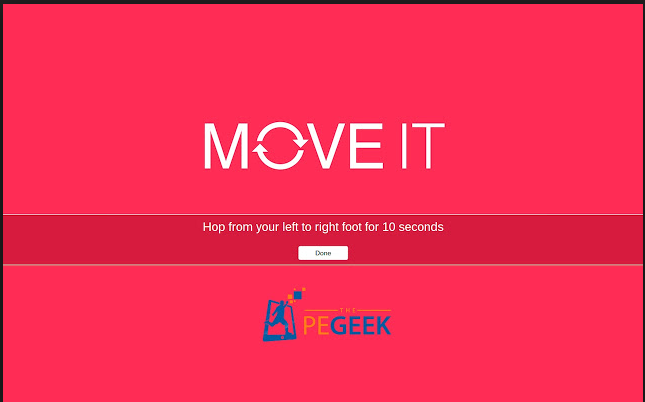
Move It is an impressive Chrome Extension that encourages physical activity, and it can easily be used in the classroom. Click here for more information about Move It and to download the extension.
Subscribe to:
Posts (Atom)